 38985671c6
* feat: Enhance WebSocket client functionality and improve data processing - Reduced message queue size in WebSocket client from 100 to 32. - Introduced atomic boolean to track client closure state. - Added SendPayload method to handle message sending with queue management. - Updated ProcessData function to utilize SendPayload for sending responses. - Expanded netTypes to include both IPv4 and IPv6 protocols in network connection retrieval. - Improved net connection processing by using a map for process names, enhancing efficiency. * feat: Enhance WebSocket client and process data handling - Added synchronization with sync.Once for safe closure of WebSocket client. - Updated message queue size to a constant for better maintainability. - Implemented context timeouts for process data retrieval to prevent blocking. - Improved network connection handling by utilizing a more efficient method for retrieving connections. - Introduced a new function to determine connection types based on protocol family. * feat: Enhance network connection retrieval and process name mapping - Updated getNetConnections function to improve efficiency by using maps for process names and connections. - Introduced a new helper function to retrieve process names from the filesystem or process context. - Enhanced filtering logic for network connections based on process ID, name, and port. - Increased initial capacity for connection results to optimize performance. * refactor: Rename SendPayload method to Send in WebSocket client - Updated the SendPayload method to be more succinctly named Send for clarity. - Ensured the method continues to handle message sending while maintaining existing functionality. * refactor: Update ProcessData and getNetConnections for improved clarity and efficiency - Replaced SendPayload method calls with Send for consistency in WebSocket message handling. - Enhanced getNetConnections function by refining process name retrieval and filtering logic. - Improved error handling in getProcessNameWithContext for better robustness. * refactor: Simplify WebSocket client closure and reading logic - Removed unnecessary synchronization for closing the WebSocket client. - Updated the Read method to handle message reading directly without a separate Close method. - Ensured the Socket is closed properly after reading messages to prevent resource leaks. |
||
|---|---|---|
| .github | ||
| .idea | ||
| .vscode | ||
| agent | ||
| ci | ||
| core | ||
| docs | ||
| frontend | ||
| .gitattributes | ||
| .gitignore | ||
| .goreleaser.yaml | ||
| CODE_OF_CONDUCT.md | ||
| CONTRIBUTING.md | ||
| LICENSE | ||
| Makefile | ||
| OWNERS | ||
| README.md | ||
| SECURITY.md | ||
| sonar-project.properties | ||

Top-Rated Web-based Linux Server Management Tool
Best VPS control panel
新一代的 Linux 服务器运维管理面板




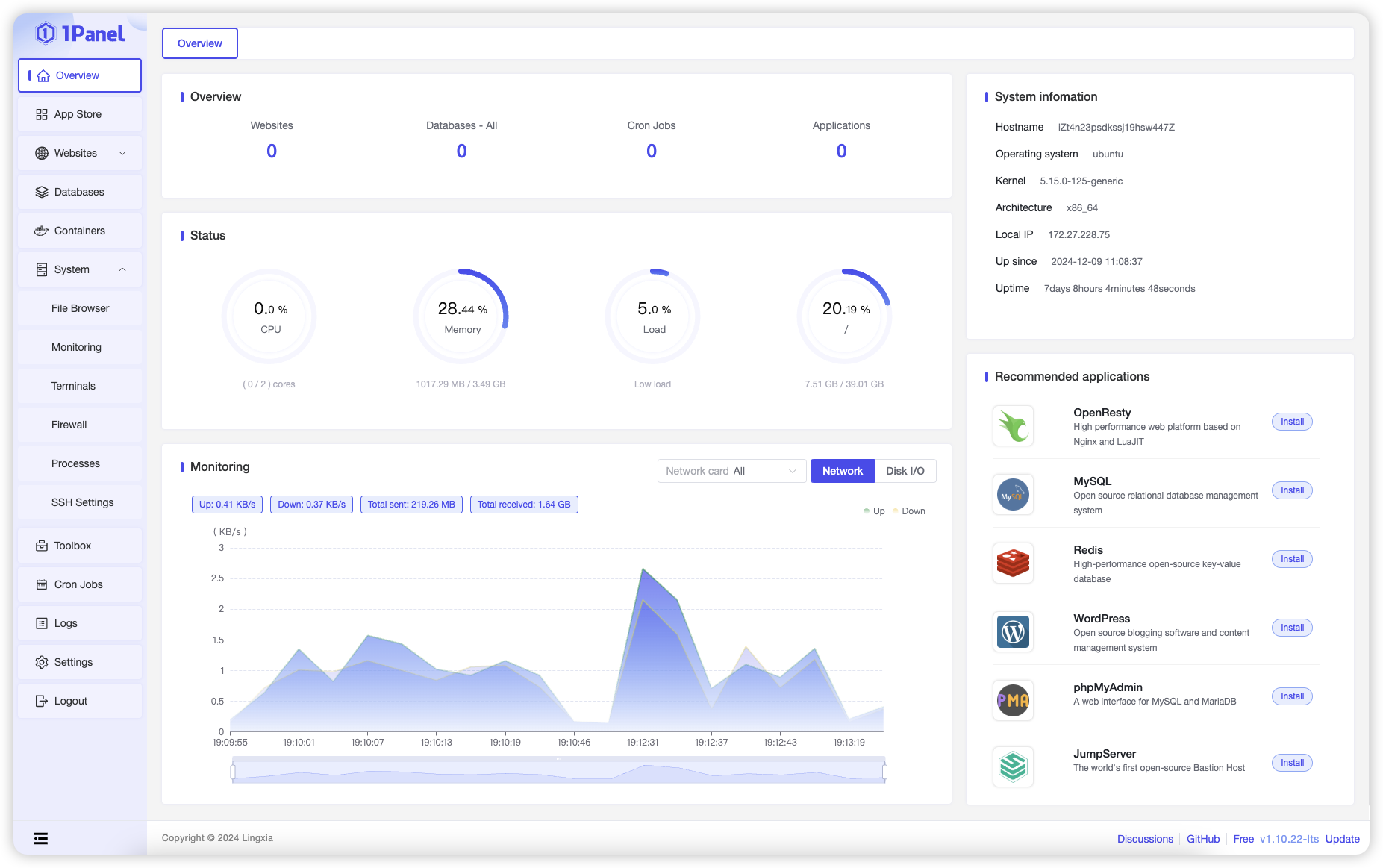
1Panel is an open-source, modern web-based control panel for Linux server management.
- Efficient Management: Through a user-friendly web graphical interface, 1Panel enables users to effortlessly manage their Linux servers. Key features include host monitoring, file management, database administration, container management, LLMs management.
- Rapid Website Deployment: With deep integration of the popular open-source website building software WordPress, 1Panel streamlines the process of domain binding and SSL certificate configuration, all achievable with just one click.
- Application Store: 1Panel curates a wide range of high-quality open-source tools and applications, facilitating easy installation and updates for its users.
- Security and Reliability: By leveraging containerization and secure application deployment practices, 1Panel minimizes vulnerability exposure. It further enhances security through integrated firewall management and log auditing capabilities.
- One-Click Backup & Restore: Data protection is made simple with 1Panel's one-click backup and restore functionality, supporting various cloud storage solutions to ensure data integrity and availability.
Quick Start
Execute the script below and follow the prompts to install 1Panel:
curl -sSL https://resource.1panel.pro/quick_start.sh -o quick_start.sh && bash quick_start.sh
Please refer to our documentation for more details.
中国用户请使用这个 安装脚本,其应用数量比国际版本更丰富。
Screenshot
Star History
Pro Edition
Compared to the OSS Edition, 1Panel Pro Edition provides users with a wealth of enhanced features and technical support services. Enhanced features include WAF enhancement, website tamper protection, website monitoring, GPU monitoring, custom logo and theme color, etc. Click to view the detailed introduction of the Pro Edition.
Security Information
If you discover any security issues, please refer to SECURITY.md.
License
Licensed under The GNU General Public License version 3 (GPLv3) (the "License"); you may not use this file except in compliance with the License. You may obtain a copy of the License at
https://www.gnu.org/licenses/gpl-3.0.html
Unless required by applicable law or agreed to in writing, software distributed under the License is distributed on an "AS IS" BASIS, WITHOUT WARRANTIES OR CONDITIONS OF ANY KIND, either express or implied. See the License for the specific language governing permissions and limitations under the License.