mirror of
https://github.com/TuringSoftware/CrystalFetch.git
synced 2025-12-25 14:59:57 +08:00
macOS UI for creating Windows installer ISO from UUPDump
| .github | ||
| aria2c | ||
| cabextract@305907723a | ||
| chntpw@164e8dacfc | ||
| converter@7b507c6c99 | ||
| CrystalFetch.xcodeproj | ||
| Extras | ||
| mkisofs@986fdb76fe | ||
| OpenSSL@0c70e4b7d2 | ||
| Source | ||
| wimlib-imagex@ae44786dcd | ||
| .gitignore | ||
| .gitmodules | ||
| Build.xcconfig | ||
| CodeSigning.xcconfig | ||
| CodeSigning.xcconfig.sample | ||
| LICENSE | ||
| PRIVACY.md | ||
| README.md | ||

CrystalFetch

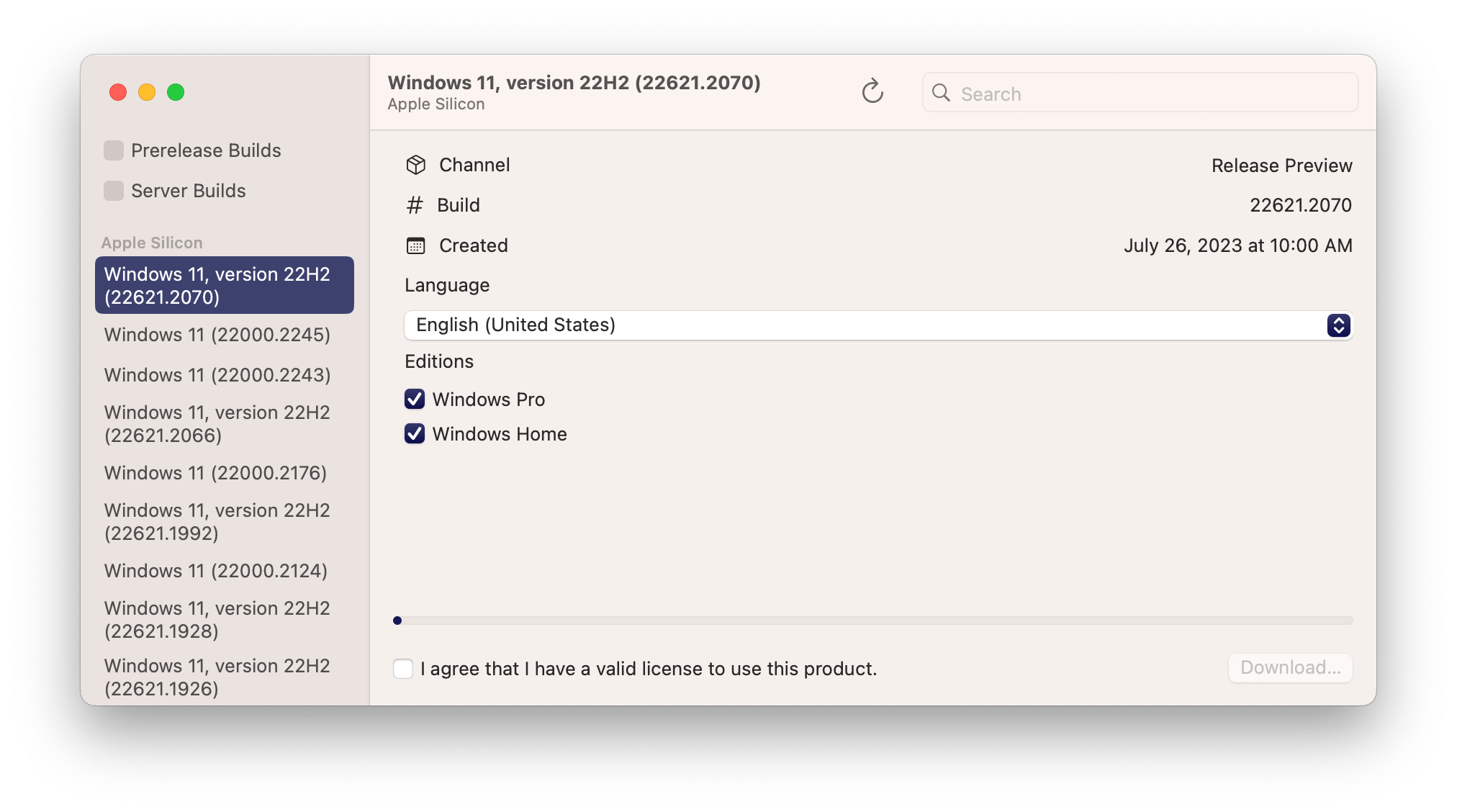
CrystalFetch is a macOS application that creates Windows® 11 installer ISO images. It can be used with UTM virtual machines as well as other VM solutions.
Note: CrystalFetch is not affiliated with Microsoft and a valid license is required to install Windows® 11.

Building
- Make sure submodules are fetched with
git submodule update --init - If you have a paid Apple Developer license, copy
CodeSigning.xcconfig.sampletoCodeSigning.xcconfigand fill out the file with your developer information. - If you do not have a paid Apple Developer license, you need to disable library validation. For each build target in the project, go to "Signing & Capabilities" and check "Disable Library Validation".
- You can now build and run the project from Xcode.
Credits
CrystalFetch uses UUPDump APIs and converter scripts.
This project is not affiliated with Microsoft Corporation. Windows® is a registered trademark of Microsoft Corporation.